
Best Mem Reduct Features | Lightweight Design & Real-time Monitoring
Mem Reduct is a lightweight and intelligent memory management utility that offers users the ability to track and control memory on Windows based devices. Mem Reduct removes unwanted data from RAM in a timely fashion which improves the system’s operation.
This tool is very useful for users with overloaded PCs that are caused by resource-hungry programs or those who wish to improve their computers’ longevity. Thanks to the intuitive interface and the extensive functionality of Mem Reduct, even non-experienced internet users and fervent computer game fans can benefit from faster and better PCs.
Moreover, everyone can benefit from using Mem Reduct since it is and will always remain free. This is ideal for users who want their computers to respond quicker and work better without spending any money. Let’s go further and explore the specific details and advantages of Mem Reduct that can provide users with better control of their computers.
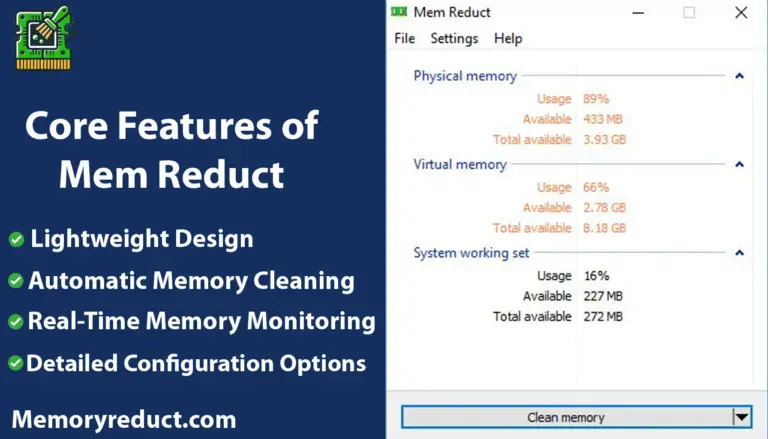
Core Features of Mem Reduct
Aside from being a basic system tool, Mem Reduct serves as an upgrade to your computer. This version comes with features that allow memory management to be effective and easy at the same time. It’s more than just a regular system tool; it’s a critical improvement for making your computer work better.
Lightweight Design
Mem Reduct 3.4 is arguably most notable for it’s minimalistic UI and design. The program is extremely small, thus it consumes very little hard drive space and barely utilizes any resources when running, which is fantastic for older systems or users with little room to spare.
Real-Time Memory Monitoring
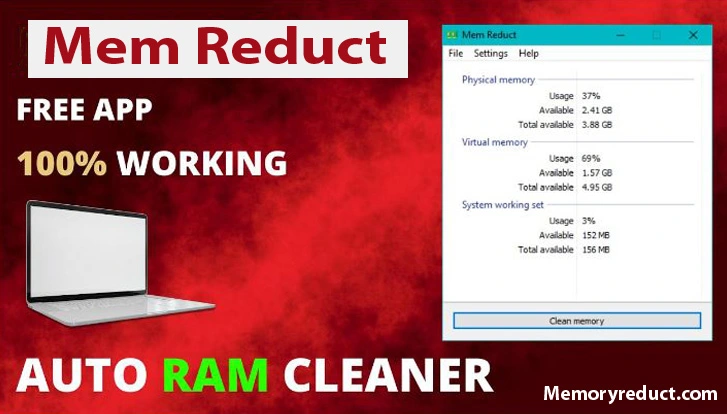
Mem Reduct tracks RAM usage of your system as long as the probram is running. With real-time memory monitoring, users can see how their resources are allocated and how it is being used allowing for better management optimization of system performance.
Manual Memory Reduction
If a user feels like they are more involved in the management of Mem Reduct, users can click the “Clean Memory” button to instantly reduce the amount of RAM being used up thus freeing up more resources for vital applications.
Automatic Memory Cleaning
Besides, Mem Reduct has an automatic cleaning feature that works in the background and removes unnecessary files from the RAM. And to do this, it follows the previously set limits. This is perfect for users who are extremely passive as the program manages memory effectively and does not require frequent user actions.
Detailed Configuration Options
For users who get the fun out of personalizing the software, Mem Reduct provides the possibility to adjust advanced settings. It is possible to control how and when memory will be optimized, including setting triggers at certain memory usage percentages.
Multi-Language Support
As a global application, Mem Reduct has multi-language support options. This feature caters to those who speak other languages and ensures that even more users can use powerful memory management applications.
Open Source and Free
Mem Reduct is open source, enables everyone to enjoy its features free of charge. It can be downloaded and installed by anyone without the hassle of subscription, free trials, or concealed costs. Being open source, enables community participation making sure the tool is always improving.
System Tray Integration
With integration into the system tray, it is very easy to access Memreduct. Users can conveniently monitor their memory use, change preferences and even do a memory clean without launching the program.
Stability and Reliability
Regardless of everything that Mem Reduct can do, the software is both stable and dependable. From a simple Windows XP SP3 to the more complicated Windows 10, the software works seamlessly without experiencing any crashes or bugs.
Additional Mem Reduct Features
Advanced Settings for Power Users
For tech-savvy individuals, the Memory reduction software offers advanced settings that provide granular control over memory management. Users can customize memory cleaning thresholds, schedule automatic cleaning, and tweak other settings to tailor the tool’s performance to their specific needs.
User-Friendly Interface
The software boasts a straightforward interface that allows users to monitor and manage their system’s memory easily. With clear, accessible options and a simple layout, even those new to memory management tools can confidently optimize their PC’s performance.
Startup Optimization
Memory Reduct includes a startup optimization feature that allows the program to begin managing memory as soon as the computer boots up. This ensures that your system operates efficiently from startup, preventing slowdowns and improving overall boot time.
Background Running Mode
This feature enables Mem Reduct to run silently in the background, continuously monitoring and optimizing memory without interrupting ongoing tasks. It works quietly, ensuring that your system’s performance is seamlessly maintained without any manual intervention.
Compatibility
The software is compatible with a wide range of Windows operating systems, from Windows XP SP3 up to the latest Windows 10. This broad compatibility ensures that users with older systems can also benefit from improved memory management, extending the usability of their devices.
Safety and Security
Mem Reduct was created with safety features. It makes sure that its processes for cleaning memory does not jeopardize tasks in progress or affect the stability of the system. While in use, it only deals with memory spaces which contain unused data and does not touch any active or critical system files.
This strategy decreases the chances of encountering crashes or other performance related problems. For this reason, it can be used as a tool on a daily basis without worry.
Security Features
Your system’s efficiency and security is not the sole focus of Mem Reducts’s attention. The software ensures that privacy standards are met by neither gathering or sending out any personal data.
Being an open source project, its source code is available for inspection which helps to promote security and transparency. This allows users and developers to check if the software is free from undocumented harmful functions or suspiciously vulnerable components.
Such openness serves as the most valuable assurance in trust building. It is guaranteed that operational details of mem Reduct are not a mystery. Therefore, understanding the steps used to secure data and enhance system performance has never been easier.
The managed data together with tools of security employed to unlock system performance brings greater satisfaction to users while urging them to participate in the growth development of the software.
Want to enhance the speed of your computer? If yes, then downloading Mem Reduct is the way to go. Just a few clicks can offer you a faster and smoother experience. To get started with optimizing your computer’s efficiency, check out our download page. Don’t hesitate – enhance your computing experience now!